Blender Camera Geometric Culling


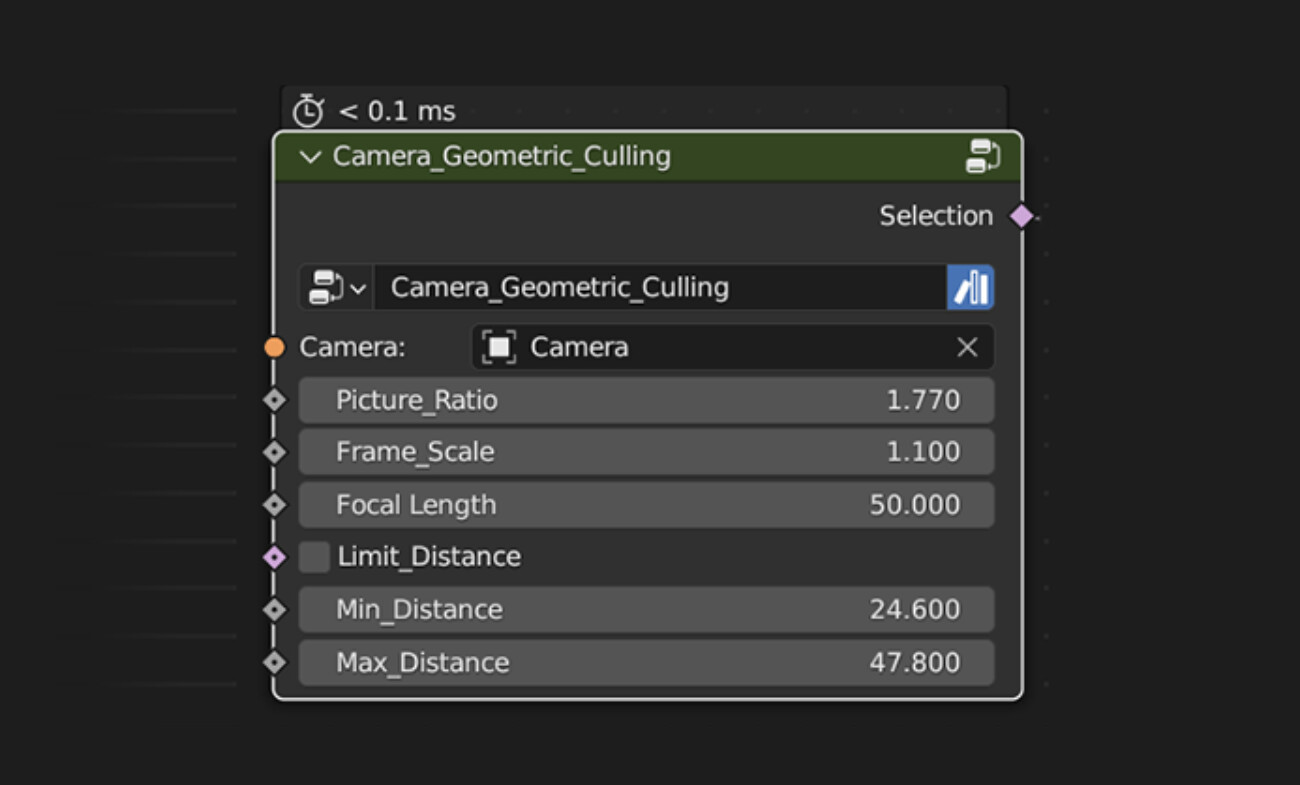
Camera Geometric Culling for Blender 3.6.x and 4.x
Content:
An exemple Blender scene with a geometry node group to delete points outside the camera field of view.
This geometric computation method is much faster than raycast. It helps greatly to manage haeavy scenes with intsances or particules.
Optimization of the previous version:
- it's possible to set a minimal and maximal distance from camera, useful to optimse fscenes further.
-Points behind camera are always deleted now.
Limitation:
-It won't delete points occluded by objects within the field of view. (typical case where raycast is usefull)
How to use it:
The node need to be driven by the actual camera focal length and image ratio (is width divided by height, this can be calculated with drivers either).
The scale factor is usefull to adjust the culling effect outside the camera's edges to avoid instances popping on screen edge during animations.
A Blender tool to delete points outside the camera field of view. For Blender 3.6.x and more.